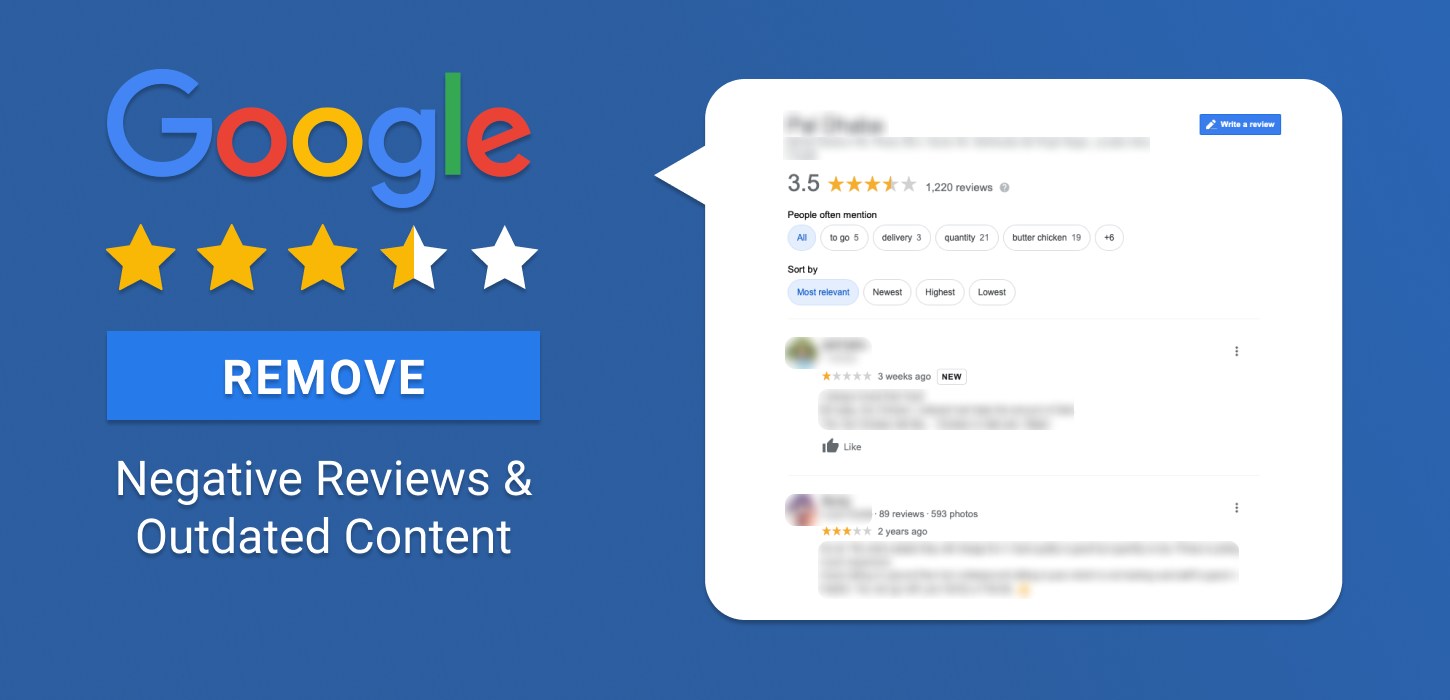
Removing outdated and negative content is a major part for both business and personal reputation management. This is because reviews and content are par for the course on the internet today. You go to some place to eat and spread information about how great or bad the restaurant is. Or you go for a movie and have a strong reaction to the service they provide there, which motivates you to write a review and inform others. Similarly, if you are looking for an attorney, you will see online reviews of their previous clients. This makes online reputation management critical for lawyers’ reputation.
This culture to share information is further incentivized with applications like trip advisor, yelp, or even craigslist, where you leave reviews for services or products. But the prime location for these reviews is, of course, Google.
Google has revolutionized the transfer of information in the current age. The term for searching something online is now “Googling,” which says a lot about the influence that Google has over the internet. But this review culture can be taken a little too far with minute-to-minute outrages, and people leaving irrelevant reviews, i.e. trolls.
So how can you remove negative reviews? Luckily, Google understands that companies and people can change over time, which is why they have in place simple options in order to delete reviews to prevent reputational risks.

The Impact of Online Reviews on Reputation Management
Managing your online reputation, including removing outdated or negative content, is crucial for both businesses and individuals. Developing a proactive online reputation management strategy helps businesses monitor reviews, address negative feedback, and build a stronger online presence over time. Below are some recent statistics that highlight the impact of online reviews and why it’s important to manage them effectively.
| Statistic | Value | Notes |
| Consumers form an opinion after reading 1‑6 reviews | 68% | Shows how even a few reviews can significantly shape perception. |
| Consumers trust online reviews as much as personal recommendations | 46% | Highlights how important reviews are for reputation, especially for service professionals like attorneys. |
| Google’s share of all online reviews | 57% | Illustrates why managing reviews on Google is critical to reputation. |
| Reviews on Google found to be potentially fraudulent | 11% | Suggests a non‑negligible portion of negative or positive reviews may not reflect genuine customer experience. |
| Consumers reading reviews before purchasing or booking | 92% | Reinforces the idea that reviews are nearly ubiquitous in decision making. |
How to Remove Negative Reviews

Google allows business owners to delete a review only when they wrote it themselves. This rule applies across Google Maps and Google Business Profiles and protects the integrity of user feedback.
You cannot remove a review written by someone else, even if it targets your establishment. This protects open discussion and prevents either party from gaining undue control over public commentary.
You can still address harmful or incorrect content. Use the dispute feature in your Google Business Profile to request a review by a Google team member who will determine whether the complaint meets removal standards.
How to Delete Your Own Google Maps Review
Google Maps lets you delete any review that you personally posted, which is helpful if a business, restaurant, or service has changed and your original feedback no longer feels fair or accurate. This process works through your Google account on the desktop version of Google Maps.
To delete your own review from a computer, follow these steps:
- Open Google Maps in your web browser and sign in to your Google account.
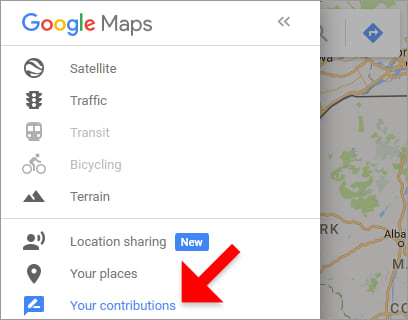
- Click the Menu icon in the top left corner of the screen.
- Select “Your contributions” and then click the “Reviews” tab.
- Find the review you want to remove and click the three dots next to it.
- Select “Delete review” to permanently remove your feedback from Google Maps.
How to Flag a Customer’s Review?
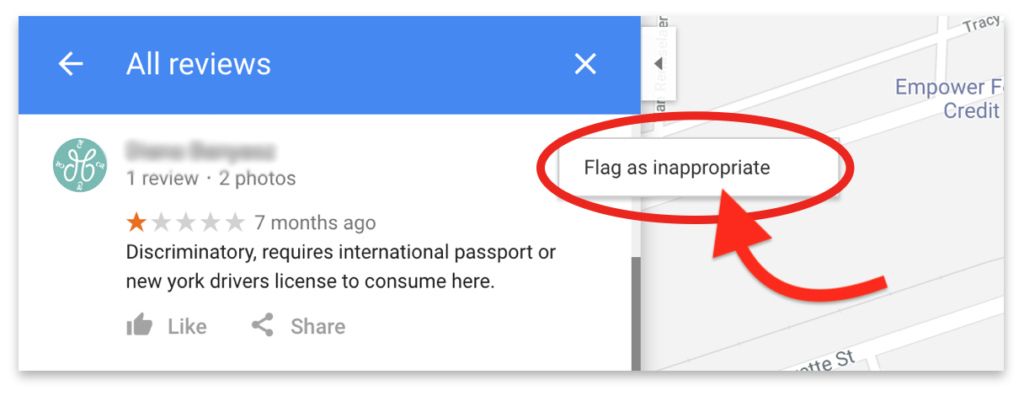
If a customer leaves a review that does not reflect your business or lacks any constructive feedback, you may want to flag it for review. Flagging a review alerts Google to potential issues, allowing them to decide if it violates their policies.
There are two ways to flag a review: one through your mobile device and the other through a computer browser. Both methods help you report problematic reviews for Google’s attention.
Using My Business (Desktop)
- Open your phone and go to the “My Businesses” app powered by Google
- Sign in, and select the listing of your branch (if you have multiple ones)
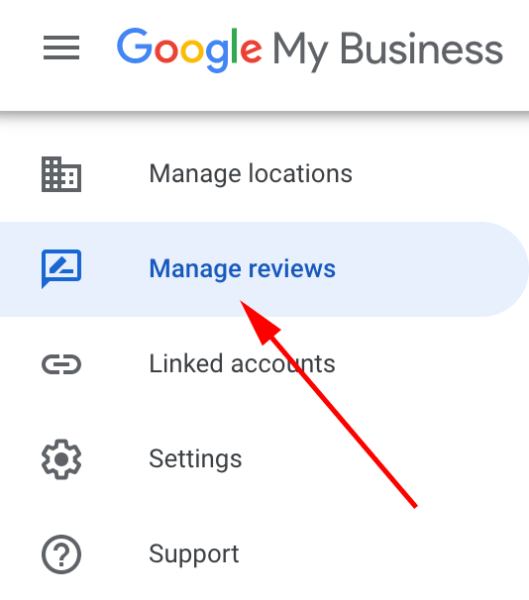
- Open the “Menu” tab and go to reviews in the menu tab
Using My Business (Phone)
- Open the MyBusiness app
- Go to the customers’ section and move to reviews
- Find the review you are looking for a flag it
We Value Reputation,
Let’s Rebuild Yours.
A High Reputation Comes With a Cost, Put Value on It.
Using Google Maps
- Go to maps and find your listing.
- Find the review you want to flag.
- Go-to options on the review and flag it as inappropriate
Now a major problem with flagging reviews is that they take a while before they can go down. Moreover, these reviews on Google don’t reflect various third-party reviews that you cannot take down at all. Other than that, Google also does its own routinely checks of any spam reviews.
How to Remove Outdated Content from Google?
Outdated content can negatively impact your online reputation and search engine rankings, especially if it’s no longer relevant, accurate, or aligned with current industry standards. This is particularly true for businesses and individuals who rely on Google search results to maintain credibility and attract potential customers. Managing outdated content ensures your digital presence remains trustworthy, up-to-date, and competitive.
Google provides tools to help you remove or update outdated content that appears in search results. Below are the steps to effectively manage outdated content and ensure that your website reflects the most current information.
Update or Delete the Content
The most effective way to address outdated content is by either updating the page with relevant, current information or completely deleting it from your website. This should always be the first step before submitting a request to Google.
Clear Your Cache
If the outdated content is still appearing on your local device, clearing your web browser’s cache can help resolve the issue locally. This ensures that you are viewing the most up-to-date version of the page.
How to Use the Remove Outdated Content Tool
- Access Google’s Remove Outdated Content Tool
Go to the Remove Outdated Content page in Google Search Console. - Sign in to Your Google Account
Log in using your Google credentials. - Submit a New Request
Click on “New request” and enter the exact URL of the page with outdated content, then click “Submit.” - Choose Your Request Type
If the page no longer exists, request to have it removed entirely. If the page is still live but the outdated content has been removed, request the removal of the outdated snippet. - Wait for Processing
Google will review your request, and the process can take some time. Be aware that the changes may not appear globally right away, as it takes time for Google to update its search results across all regions.
Important Considerations
- Be Specific with URLs
When submitting a request, make sure the URL is accurate, including all variations (www, http, or https). A precise URL ensures that Google knows exactly what to remove. - Temporary Removal Option
If you own the website, you can use Google Search Console’s Removals tool to temporarily remove a page from search results for about six months. This gives you time to make permanent updates or deletions on your website.
Monitor the Long-Term Impact
While removing outdated content helps in the short term, it’s also important to monitor the long-term impact on your website’s visibility and user experience. Online content suppression services can also help reduce the visibility of outdated or unwanted search results by strengthening relevant, positive content. Regular audits and updates to your content, along with careful monitoring of what is indexed by search engines, ensure that your website remains relevant and authoritative in the eyes of both users and search engines.
Conclusion
Managing your online reputation is essential for maintaining a positive image. Whether you’re looking to remove your own review, flag a problematic customer review, or delete outdated content, understanding the right steps is key. Below is a quick comparison of the methods for handling outdated content removal across different platforms.
| Action | Method | Platform | Steps |
| Delete Your Own Google Review | Delete your review if it no longer reflects your opinion. | Google Maps (Desktop) | 1. Sign in to Google Maps 2. Open Menu > “Your contributions” > “Reviews” 3. Click three dots next to review > “Delete review” |
| Flag a Customer’s Review | Flag a review that is inappropriate or unconstructive for Google review. | Google Maps (Desktop & Mobile) | 1. Find the review 2. Click on options > “Flag as inappropriate” |
| Remove Outdated Content | Remove outdated content (like images or posts) from Google search results. | Google Search | 1. Go to “Remove Outdated Content” page 2. Enter URL 3. Request removal |
Removing Negative Content Online Is One of the Simplest Ways to Restore Your Online Reputation.
Get in Touch With Us Today to Start Repairing Your Reputation!